> ## Documentation Index
> Fetch the complete documentation index at: https://help.arcus.xyz/llms.txt
> Use this file to discover all available pages before exploring further.
# How do I deposit funds?
There are four ways to add them: connect your **Wallet**, **Transfer Crypto**, **Connect Exchange**, or **Use Cash**. Whichever you choose, your funds arrive as USDG, the stablecoin Arcus settles in. Here's how each route works, and what to expect.
### **What your funds arrive as: USDG**
No matter how you fund the account, your balance ends up in USDG, so it's worth a quick word on what that is.
 USDG, or Global Dollar, is a US-dollar stablecoin issued by Paxos. A stablecoin is a token designed to hold a steady value, and USDG is built to always be worth one US dollar. It's redeemable one-to-one for dollars and backed by cash and short-term US Treasuries held in segregated accounts.
In practice, USDG behaves like a digital dollar in your account. Prices across Arcus are shown in US dollars, and your USDG balance is what you trade with.
### **1: Choose where your funds land**
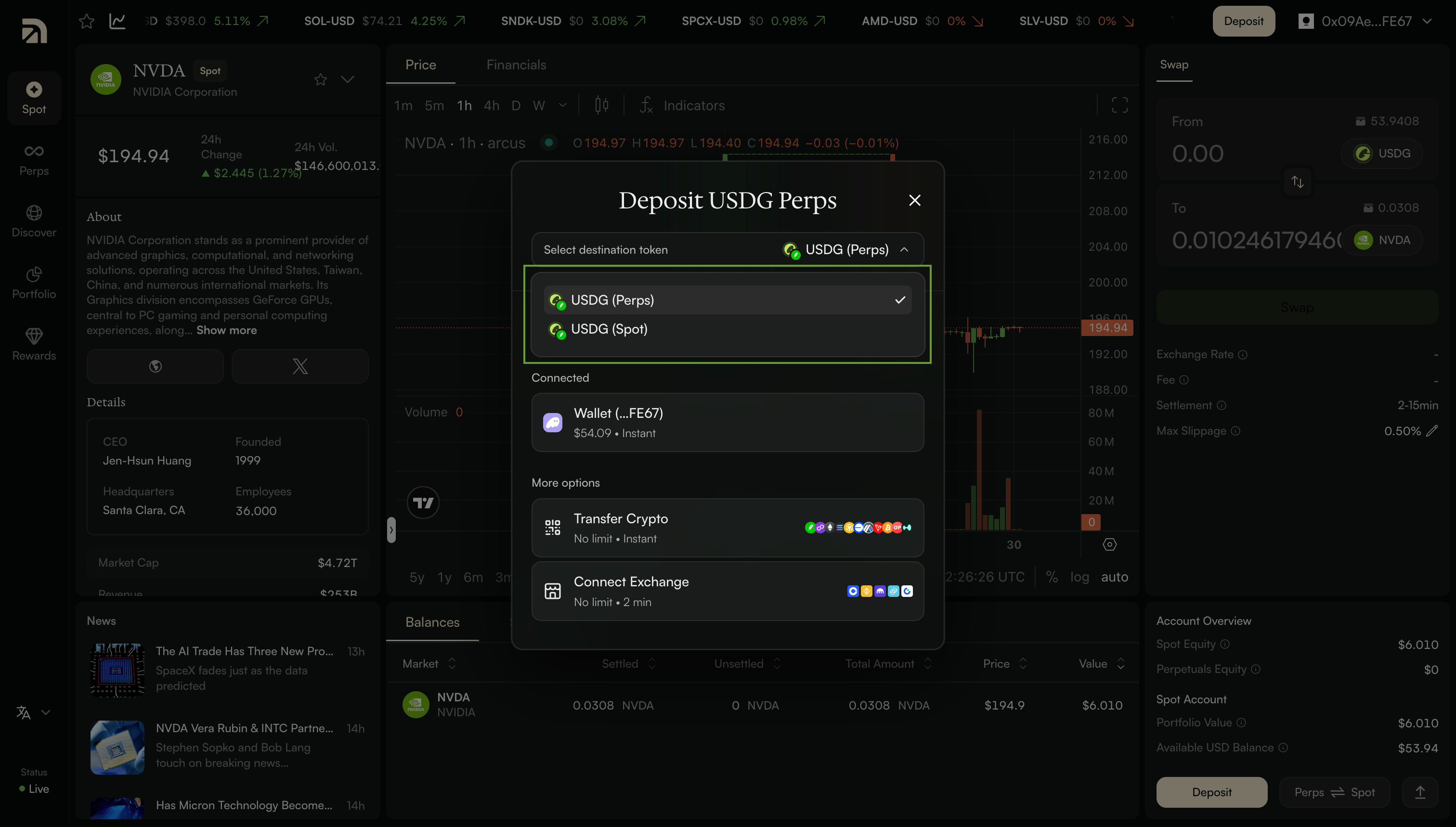
When you click Deposit, you'll pick a destination: your Spot account or your Perps account. Spot is for trading Stock Tokens. Perps is for trading perpetuals. The deposit screen labels these as USDG (Spot) and USDG (Perps). Pick whichever side you plan to trade first. You can move funds between the two later, so this isn't a permanent choice.
USDG, or Global Dollar, is a US-dollar stablecoin issued by Paxos. A stablecoin is a token designed to hold a steady value, and USDG is built to always be worth one US dollar. It's redeemable one-to-one for dollars and backed by cash and short-term US Treasuries held in segregated accounts.
In practice, USDG behaves like a digital dollar in your account. Prices across Arcus are shown in US dollars, and your USDG balance is what you trade with.
### **1: Choose where your funds land**
When you click Deposit, you'll pick a destination: your Spot account or your Perps account. Spot is for trading Stock Tokens. Perps is for trading perpetuals. The deposit screen labels these as USDG (Spot) and USDG (Perps). Pick whichever side you plan to trade first. You can move funds between the two later, so this isn't a permanent choice.
 ### **Route 1: Wallet**
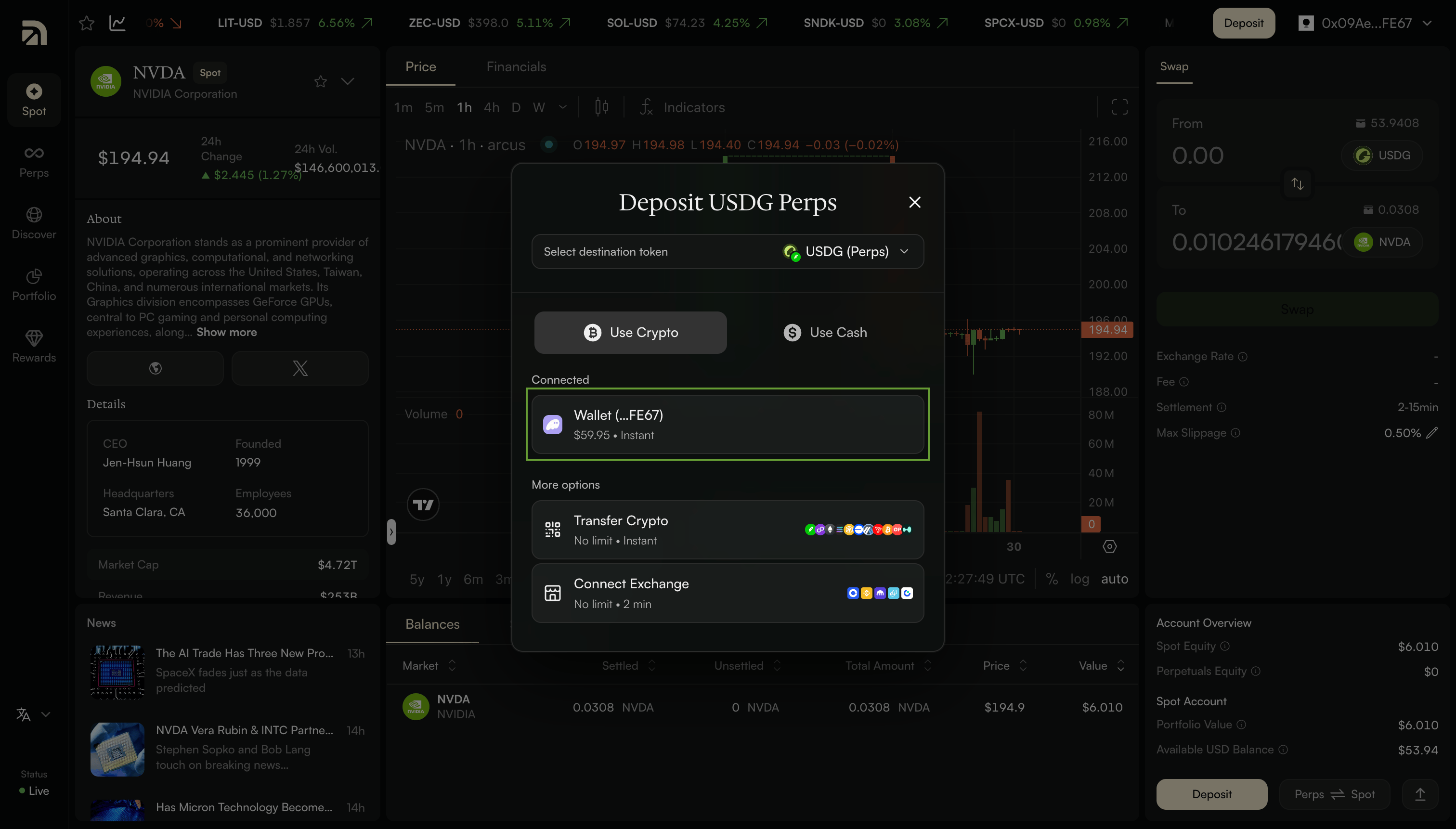
If you've already connected a wallet, this is usually the simplest way to fund. On the deposit screen, your connected wallet appears under Connected, with its balance and an Instant tag, alongside the other crypto options.
### **Route 1: Wallet**
If you've already connected a wallet, this is usually the simplest way to fund. On the deposit screen, your connected wallet appears under Connected, with its balance and an Instant tag, alongside the other crypto options.
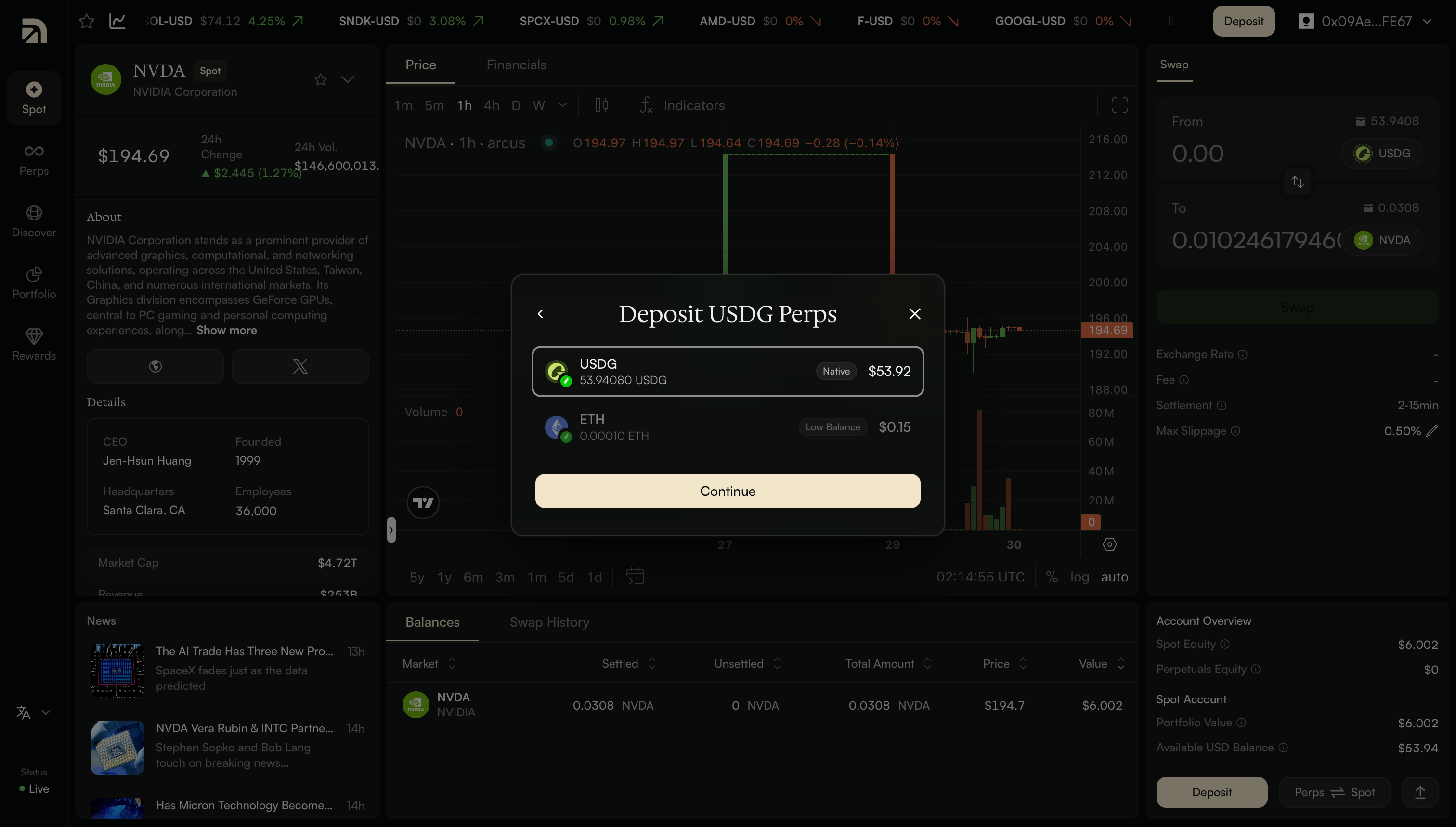
 Select your wallet, then pick the asset you want to deposit. Arcus shows everything you're holding, like USDG, ETH, and more. Enter an amount, or tap 25%, 50%, 75%, or Max, and you'll see exactly how much USDG you'll receive.
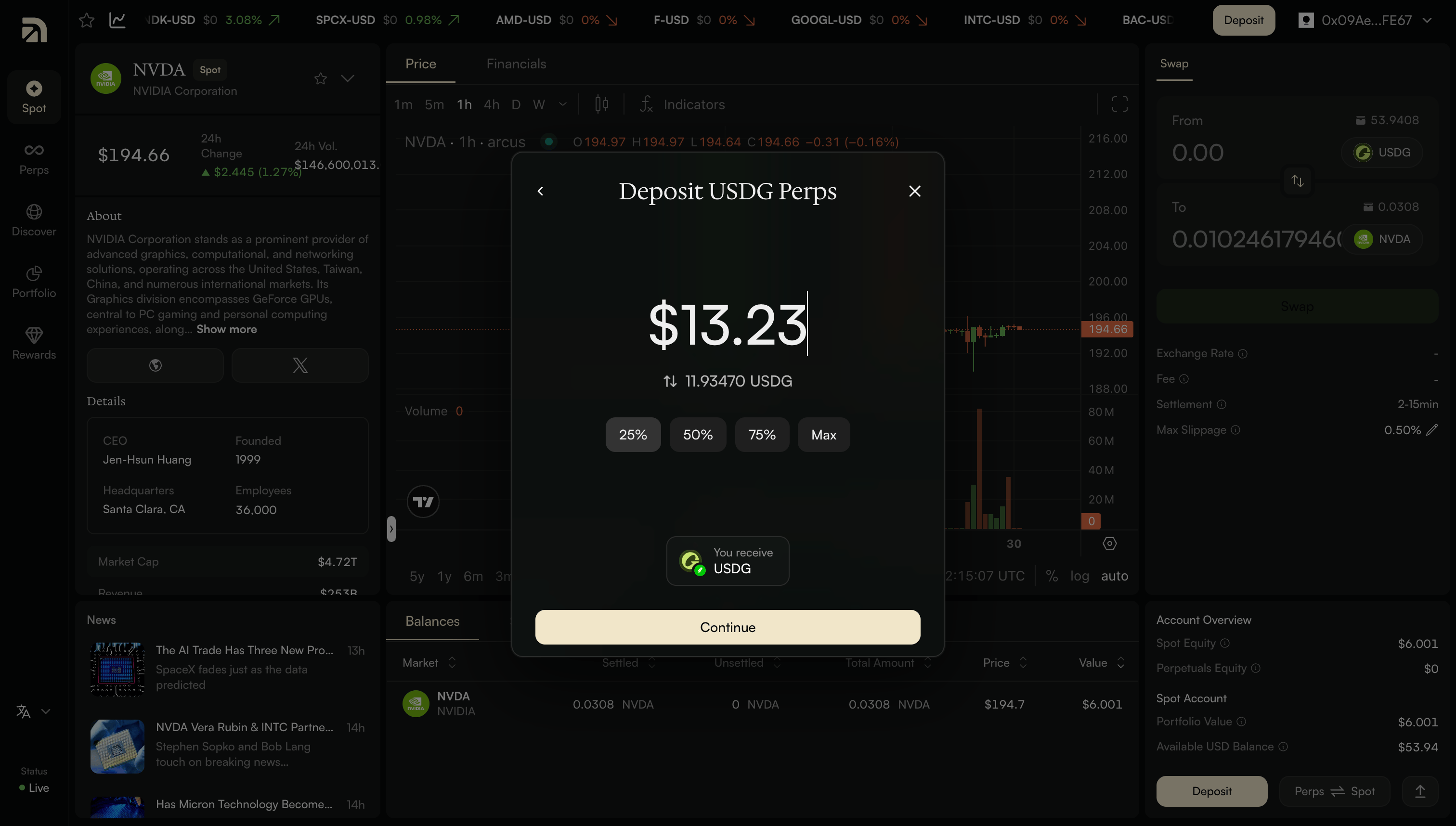 Arcus then shows you a quote with an estimated time and a full transaction breakdown. Agree to the terms, confirm, and your funds land as USDG.
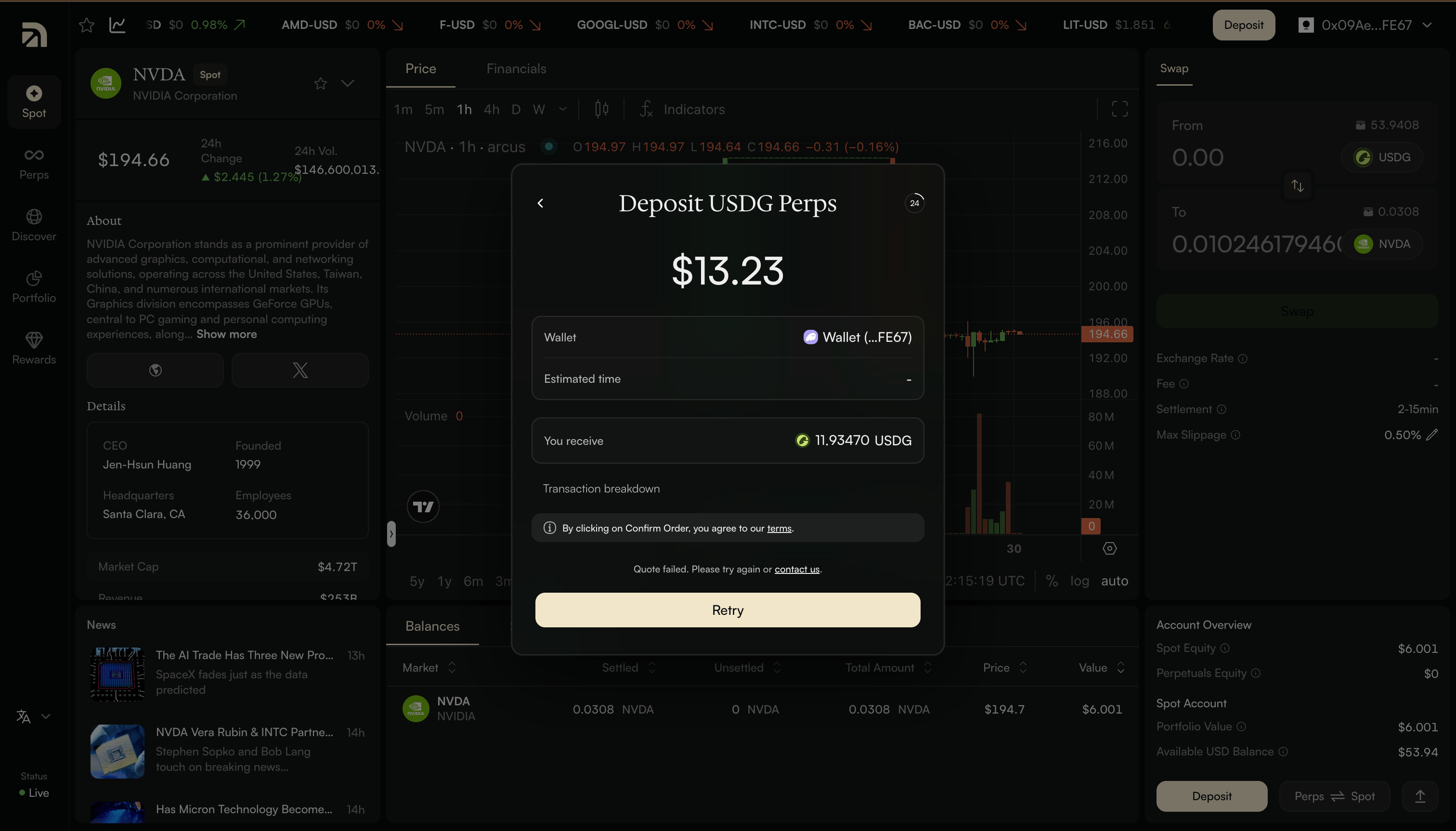 **How this differs from Transfer Crypto:** with Wallet, you don't copy an address or send anything by hand. You select an asset that's already in your connected wallet and approve a quoted conversion - the same way the exchange and cash routes work. For most people with a connected wallet, it's the quickest route.
### **Route 2: Transfer Crypto**
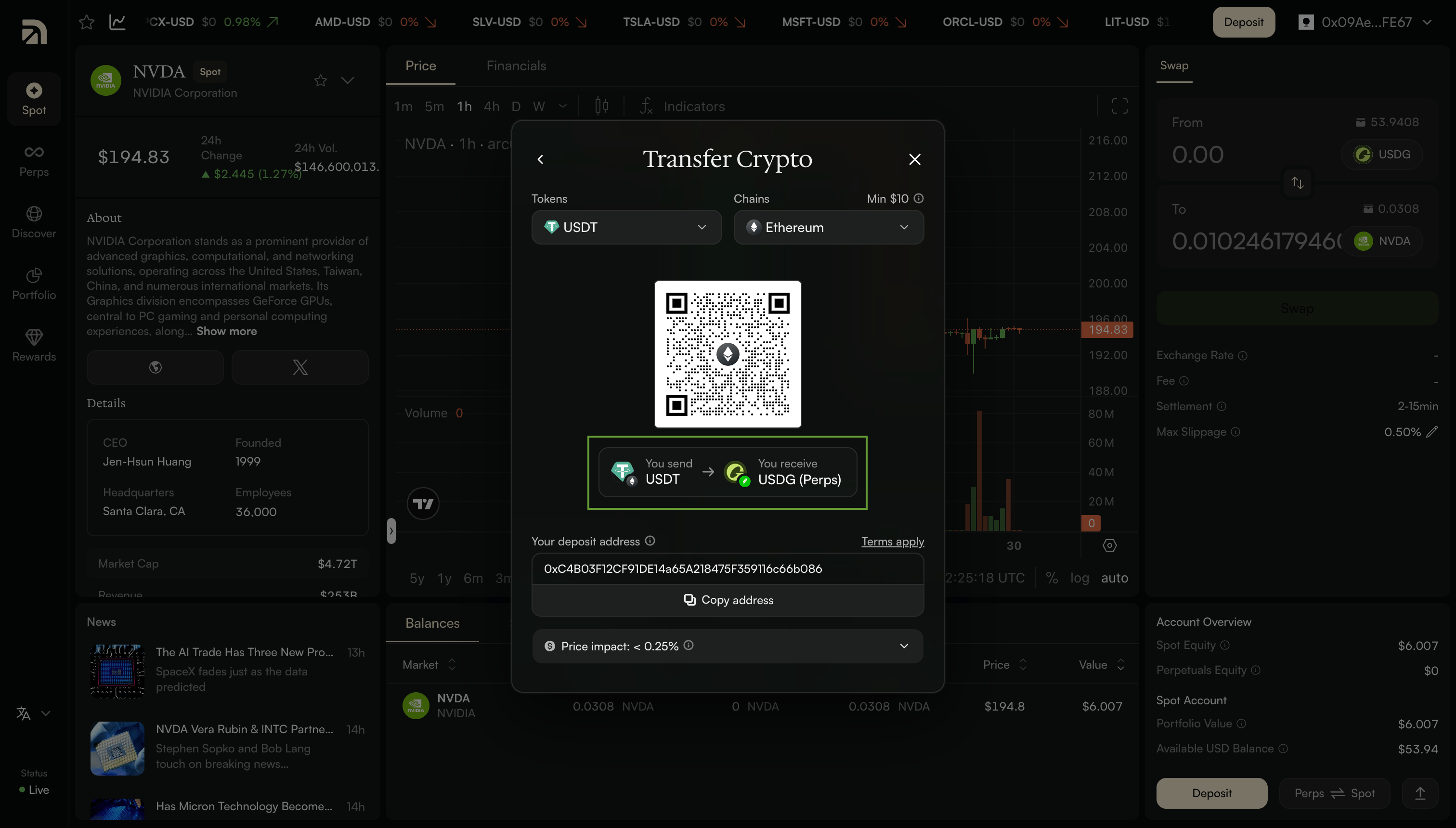
If you'd rather send from somewhere else: another wallet, a hardware wallet, or anywhere you hold crypto, you can transfer to a deposit address. Choose the token you want to send and the chain it's on. Arcus supports the major ones, including Ethereum, Arbitrum, Base, Solana, and Bitcoin, across tokens like USDC, ETH, and BTC, and many more.
**How this differs from Transfer Crypto:** with Wallet, you don't copy an address or send anything by hand. You select an asset that's already in your connected wallet and approve a quoted conversion - the same way the exchange and cash routes work. For most people with a connected wallet, it's the quickest route.
### **Route 2: Transfer Crypto**
If you'd rather send from somewhere else: another wallet, a hardware wallet, or anywhere you hold crypto, you can transfer to a deposit address. Choose the token you want to send and the chain it's on. Arcus supports the major ones, including Ethereum, Arbitrum, Base, Solana, and Bitcoin, across tokens like USDC, ETH, and BTC, and many more.
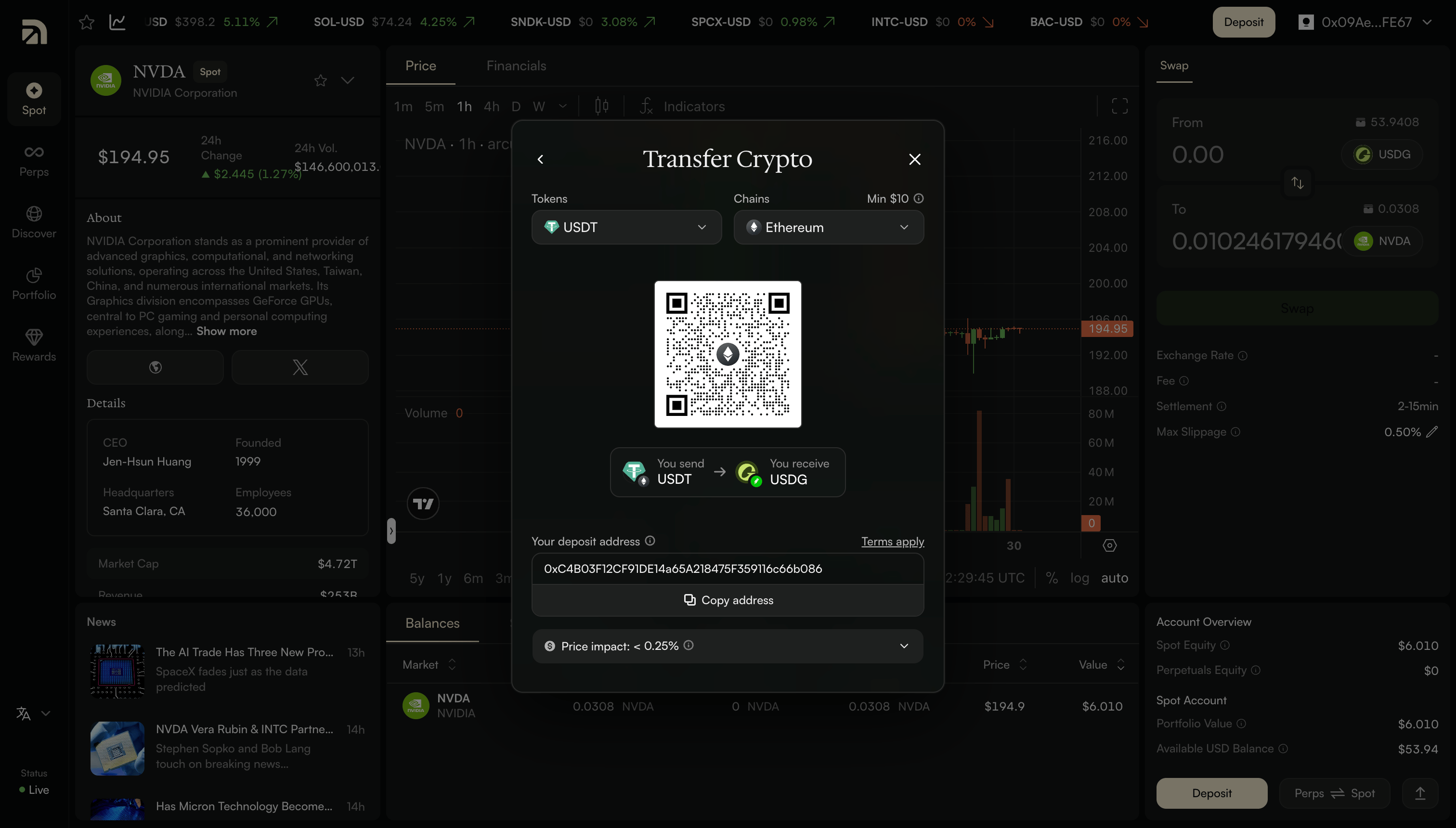 Arcus shows you a deposit address and a QR code. Send your crypto there, and it converts to USDG and lands in your account, usually within moments. Transfers are instant on most chains, with a small minimum deposit of around \$3. Some chains, like Ethereum and Bitcoin, have a higher minimum, so check the minimum shown on screen before you send. The conversion happens automatically, and the screen shows what you'll receive.
### **Route 3: Connect Exchange**
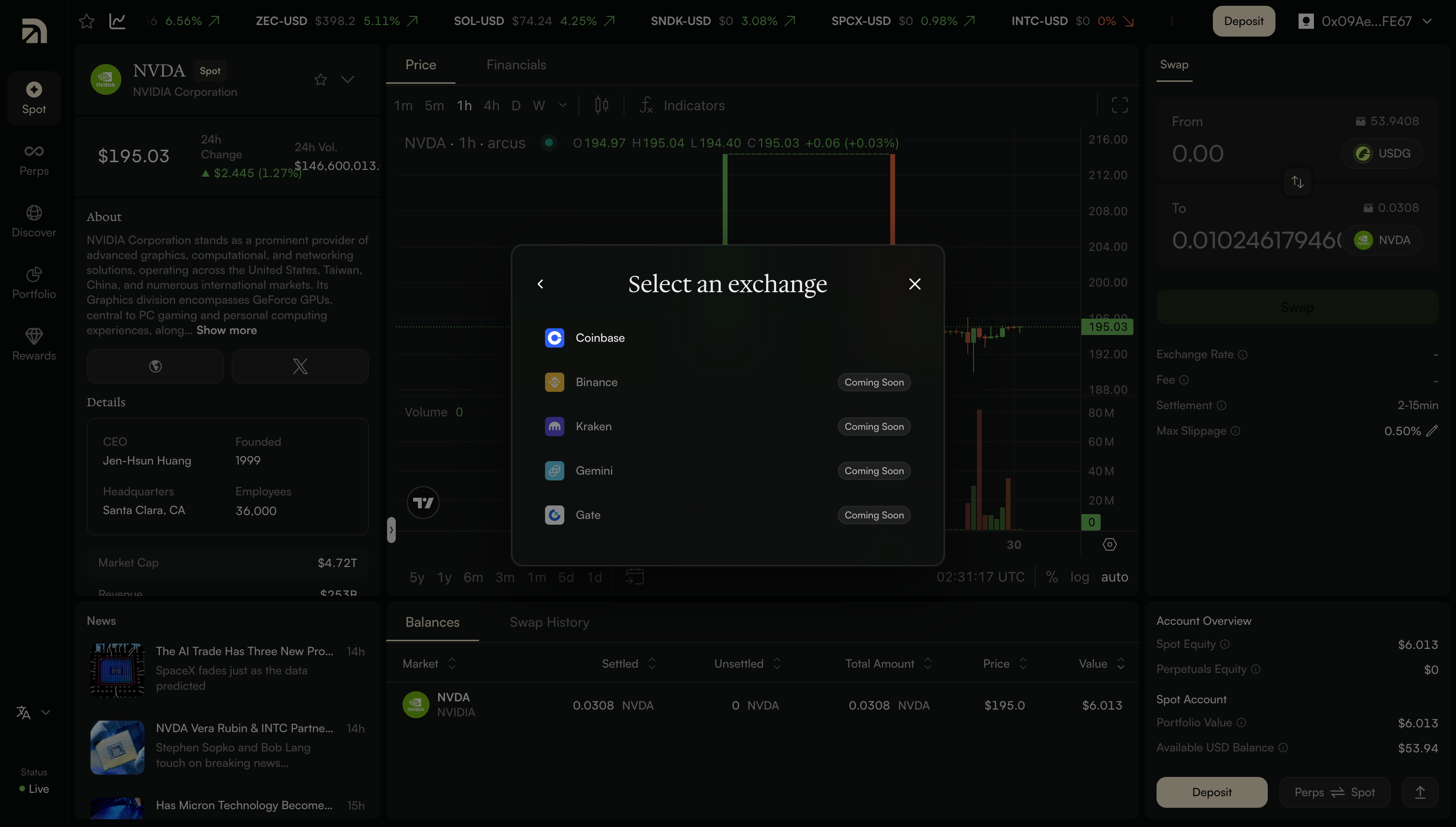
If your funds are sitting on a centralized exchange, you can pull them straight across without a manual transfer. Connect your exchange account, and the funds move into Arcus as USDG. Coinbase is supported at launch, and the process takes about two minutes.
Arcus shows you a deposit address and a QR code. Send your crypto there, and it converts to USDG and lands in your account, usually within moments. Transfers are instant on most chains, with a small minimum deposit of around \$3. Some chains, like Ethereum and Bitcoin, have a higher minimum, so check the minimum shown on screen before you send. The conversion happens automatically, and the screen shows what you'll receive.
### **Route 3: Connect Exchange**
If your funds are sitting on a centralized exchange, you can pull them straight across without a manual transfer. Connect your exchange account, and the funds move into Arcus as USDG. Coinbase is supported at launch, and the process takes about two minutes.
 ### **Route 4: Use Cash**
If you're starting from cash rather than crypto, you can fund directly. Arcus supports Apple Pay, Google Pay, a debit or credit card, and AstroPay. Choose an amount: with quick options like \$100, \$200, \$500, and \$1,000, or enter your own, and your payment is converted to USDG and deposited.
### **Route 4: Use Cash**
If you're starting from cash rather than crypto, you can fund directly. Arcus supports Apple Pay, Google Pay, a debit or credit card, and AstroPay. Choose an amount: with quick options like \$100, \$200, \$500, and \$1,000, or enter your own, and your payment is converted to USDG and deposited.
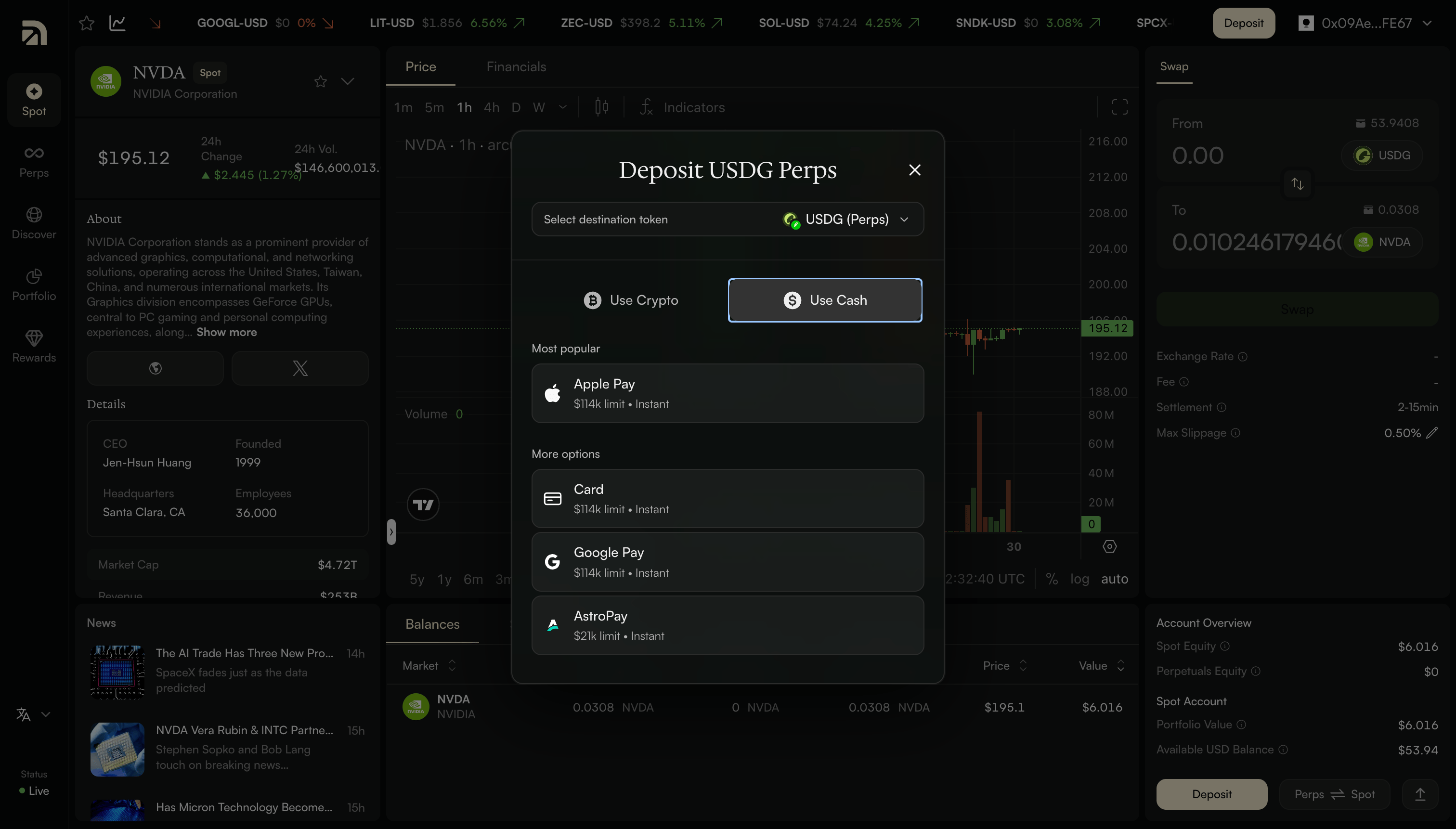 Before you confirm, Arcus shows you a quote: the amount, the conversion rate, and any processing fee, so there are no surprises. This is the simplest route if you've never held crypto before, it works like any online checkout.
### **The four routes at a glance**
| **Route** | **Speed** | **Minimum** | **Best for** |
| :--------------- | :--------------------- | :------------------------ | :--------------------------------------------------- |
| Wallet | Instant | Low (varies by asset) | Anyone with a connected wallet — usually the easiest |
| Transfer Crypto | Instant on most chains | Around \$3 on most chains | Sending from another wallet or address |
| Connect Exchange | About two minutes | No set minimum | Funds on an exchange; Coinbase at launch |
| Use Cash | Instant | Small amounts | Starting from regular money |
### **Fees and minimums**
Arcus doesn't charge a deposit fee of its own. The costs you might see come from third parties, like a card processor or a blockchain network fee, and they're always shown upfront: in the quote or on the deposit screen, and before you confirm. Minimums are low: around \$3 to transfer crypto on most chains, and small amounts work fine for wallet and cash deposits too.
### **Moving funds between Spot and Perps**
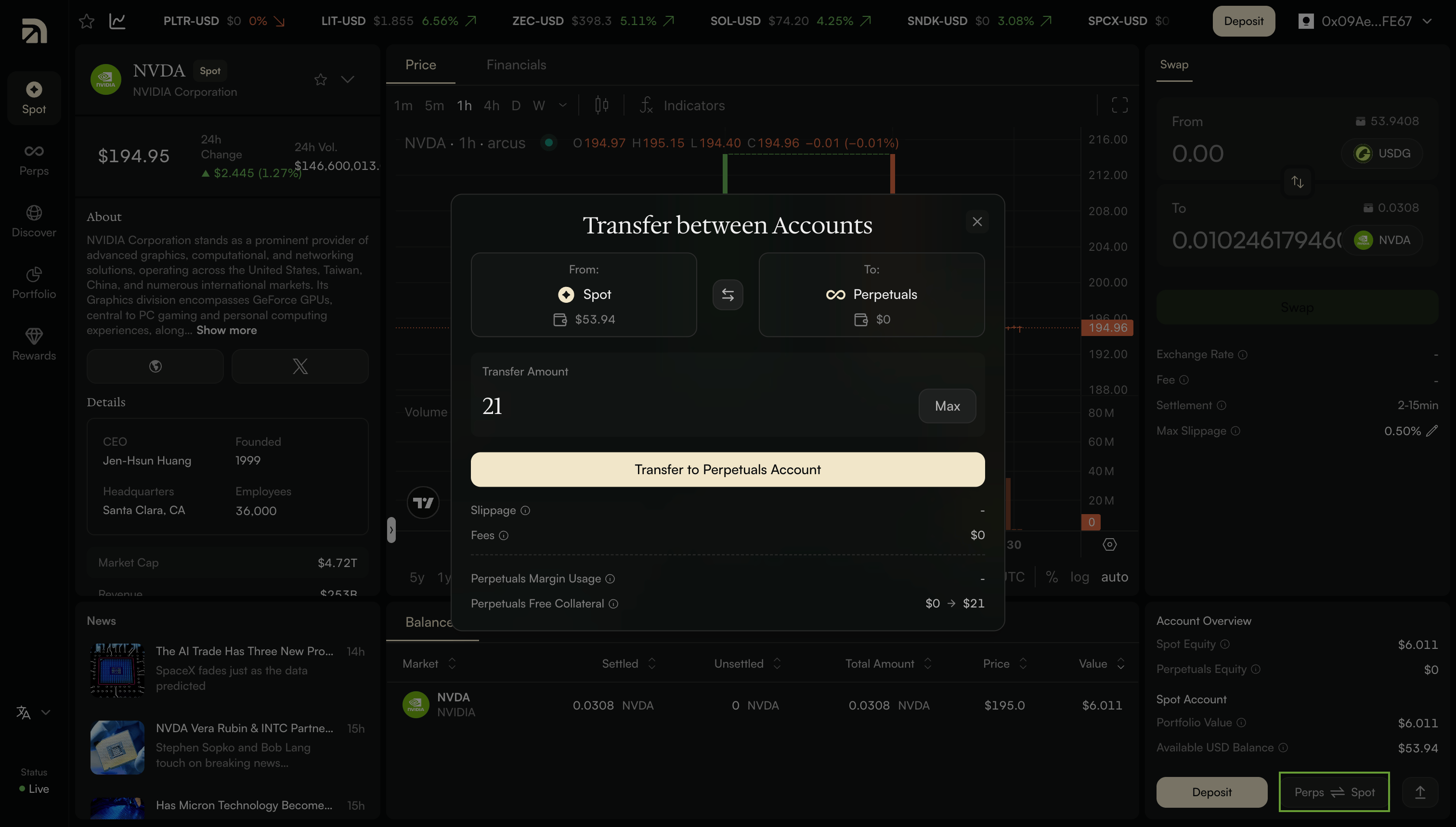
Once your funds are in, you're not stuck with the side you chose. Use the Perps and Spot toggle to shift USDG between your Spot and Perps accounts whenever you want. Fund once, trade either side.
Before you confirm, Arcus shows you a quote: the amount, the conversion rate, and any processing fee, so there are no surprises. This is the simplest route if you've never held crypto before, it works like any online checkout.
### **The four routes at a glance**
| **Route** | **Speed** | **Minimum** | **Best for** |
| :--------------- | :--------------------- | :------------------------ | :--------------------------------------------------- |
| Wallet | Instant | Low (varies by asset) | Anyone with a connected wallet — usually the easiest |
| Transfer Crypto | Instant on most chains | Around \$3 on most chains | Sending from another wallet or address |
| Connect Exchange | About two minutes | No set minimum | Funds on an exchange; Coinbase at launch |
| Use Cash | Instant | Small amounts | Starting from regular money |
### **Fees and minimums**
Arcus doesn't charge a deposit fee of its own. The costs you might see come from third parties, like a card processor or a blockchain network fee, and they're always shown upfront: in the quote or on the deposit screen, and before you confirm. Minimums are low: around \$3 to transfer crypto on most chains, and small amounts work fine for wallet and cash deposits too.
### **Moving funds between Spot and Perps**
Once your funds are in, you're not stuck with the side you chose. Use the Perps and Spot toggle to shift USDG between your Spot and Perps accounts whenever you want. Fund once, trade either side.
 ### **TL;DR**
You can fund an Arcus account four ways: connect your Wallet and deposit an asset you already hold, Transfer Crypto to a deposit address from almost any major chain, Connect an Exchange like Coinbase, or Use Cash through Apple Pay, Google Pay, card, or AstroPay.
Whichever you choose, your deposit converts to USDG, a US-dollar stablecoin, and lands in either your Spot or Perps account. Arcus charges no deposit fee of its own, minimums are low, and you can move funds between Spot and Perps anytime. (New here? [See *How Do I Start Trading on Arcus?*](https://arcus.xyz/blog/how-do-i-start-trading-on-arcus) for the full first-time walkthrough.)
### **TL;DR**
You can fund an Arcus account four ways: connect your Wallet and deposit an asset you already hold, Transfer Crypto to a deposit address from almost any major chain, Connect an Exchange like Coinbase, or Use Cash through Apple Pay, Google Pay, card, or AstroPay.
Whichever you choose, your deposit converts to USDG, a US-dollar stablecoin, and lands in either your Spot or Perps account. Arcus charges no deposit fee of its own, minimums are low, and you can move funds between Spot and Perps anytime. (New here? [See *How Do I Start Trading on Arcus?*](https://arcus.xyz/blog/how-do-i-start-trading-on-arcus) for the full first-time walkthrough.)